The other half of the job, on the crew's phone.
Crew clock in and log the day. You see hours against the quote and where the money went, while the job is still running.
First month free
Built with a working Minnesota landscaping crew, on real jobs, over a full season. Each company gets its own install. OVRT sets it up and supports it.
Two taps. The app reloads as your company.
01 Your trade
02 Crew size, counting you
Real app. Fictional crew. Clock runs at 12x.
LIVE · Cedar Ridge Landscaping · 3 people
Four taps, then back to work
The crew side stays simple. Anything that takes more than a minute does not get done.
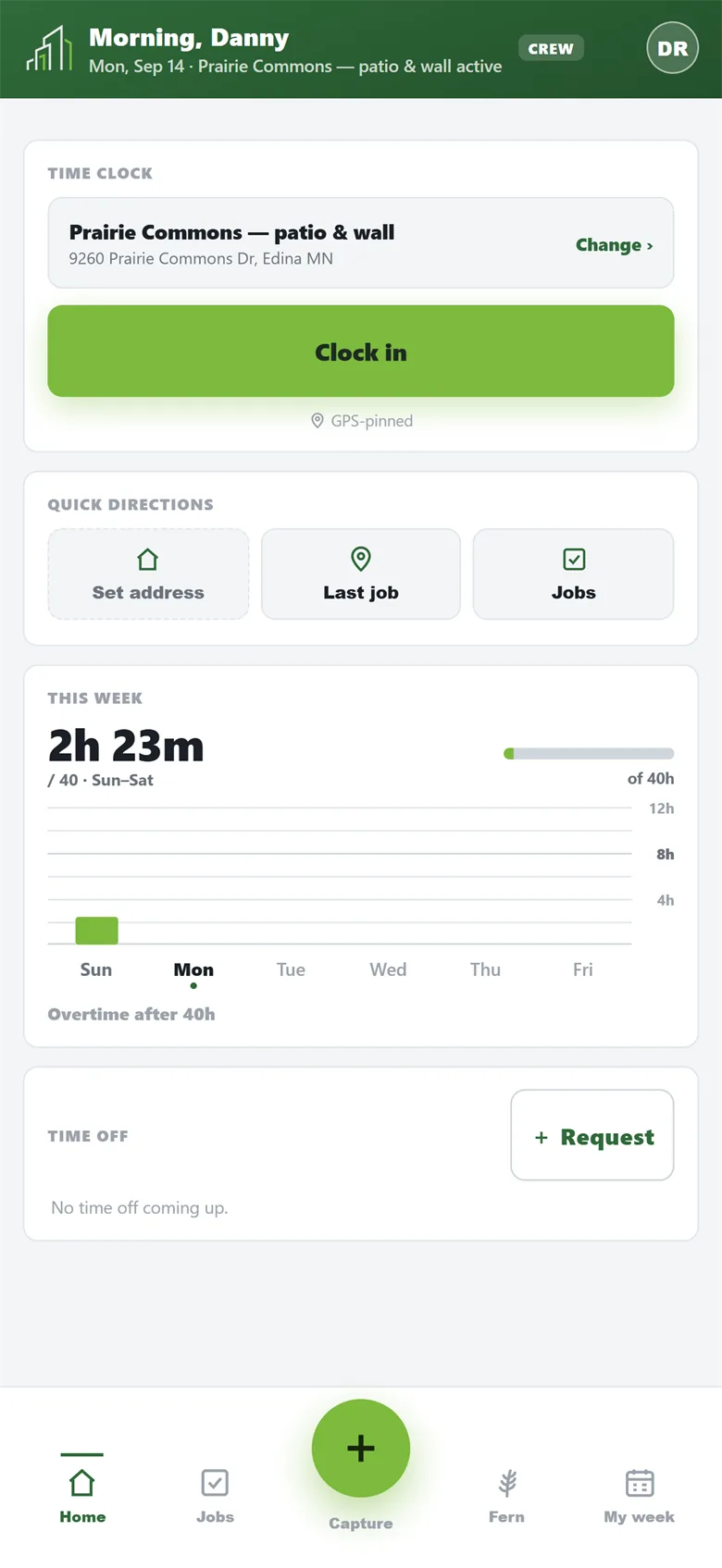
Clock in on the right job
One tap. Every punch is tied to a job, and the hours land on it. Location is taken at clock-in and clock-out, never in between.
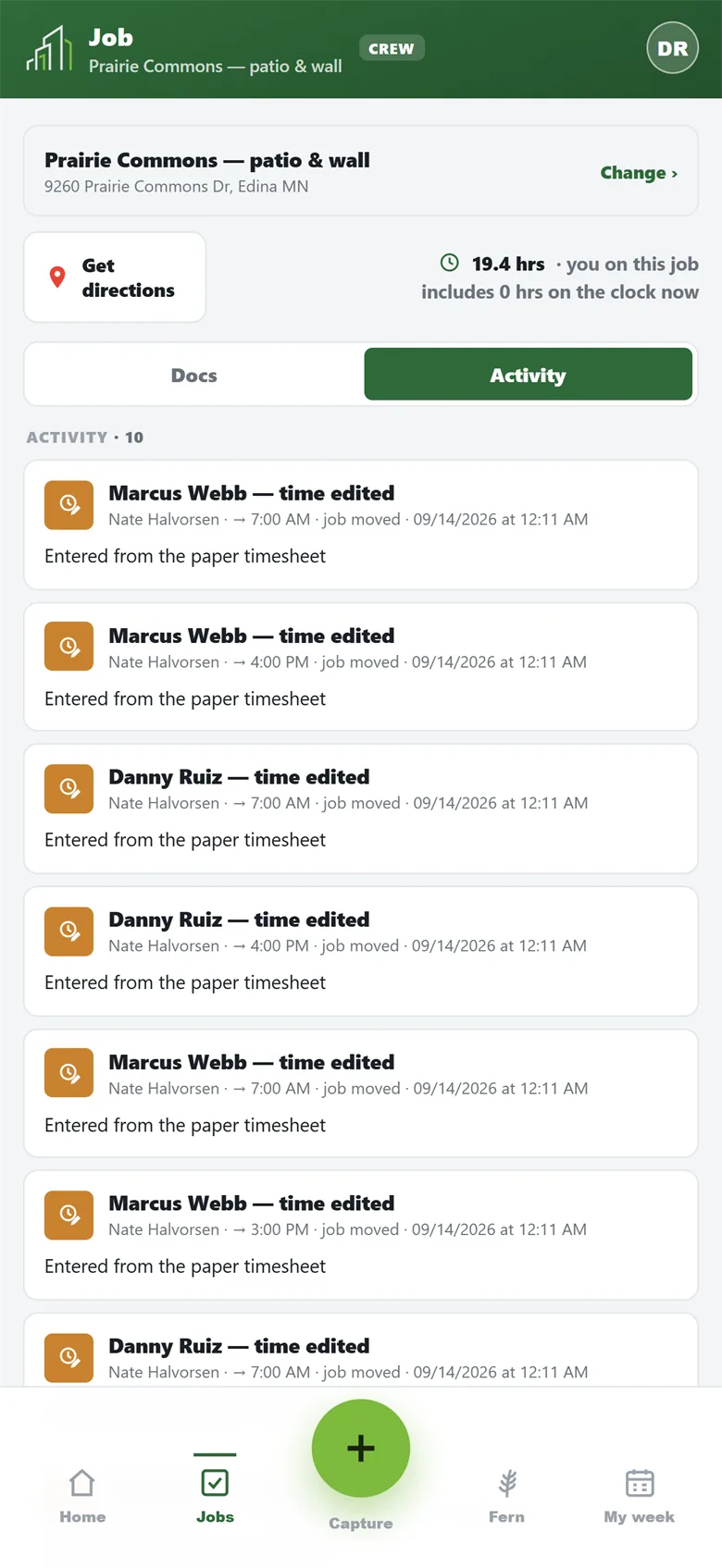
The plan, on the phone
Scope, drawing and documents on site, where the questions get asked.
Daily log in a minute
What got done, crew, hours, photos. Damage is time-stamped before anyone argues.
Snap the receipt
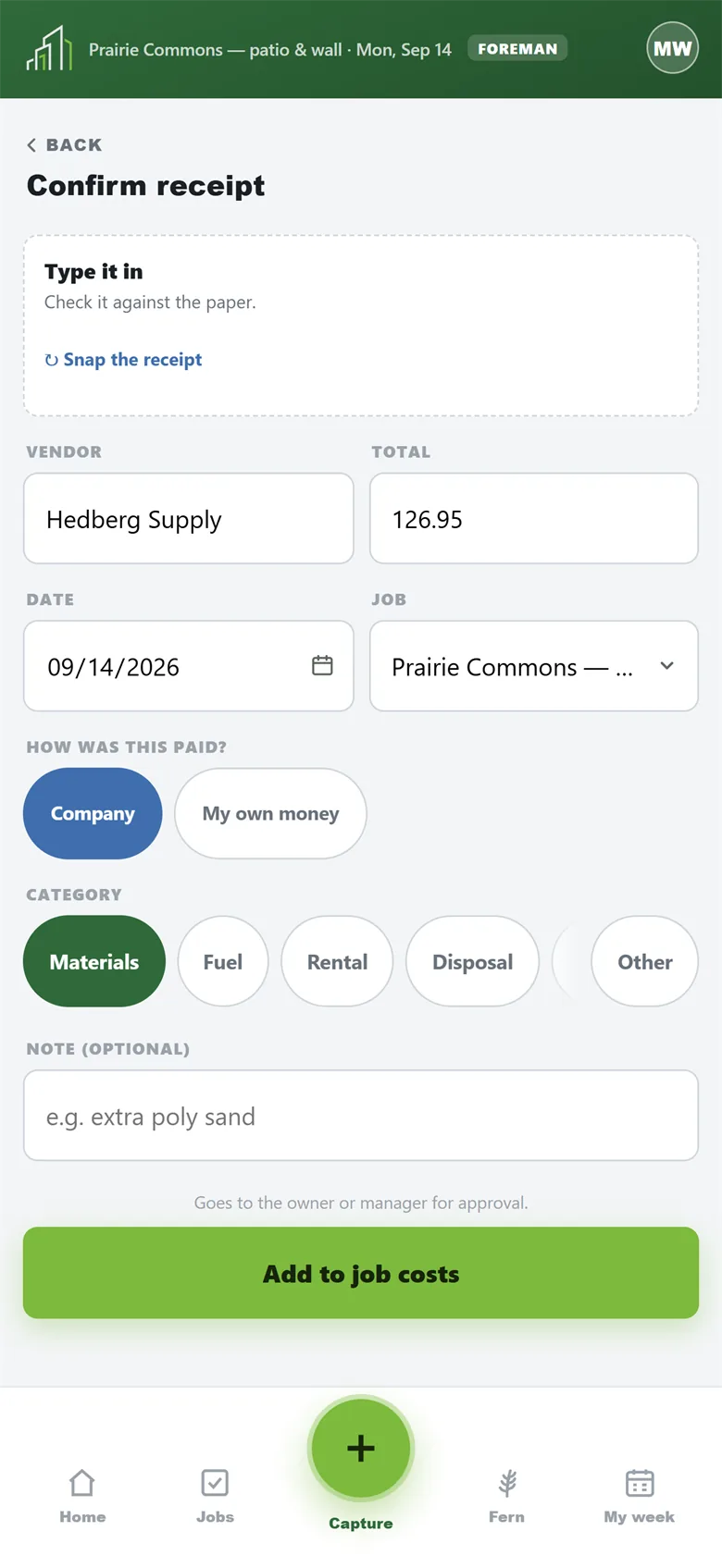
Photo receipts from the field, itemized line by line. The owner sees what was bought, not just a total.
Find out during the job, not after it
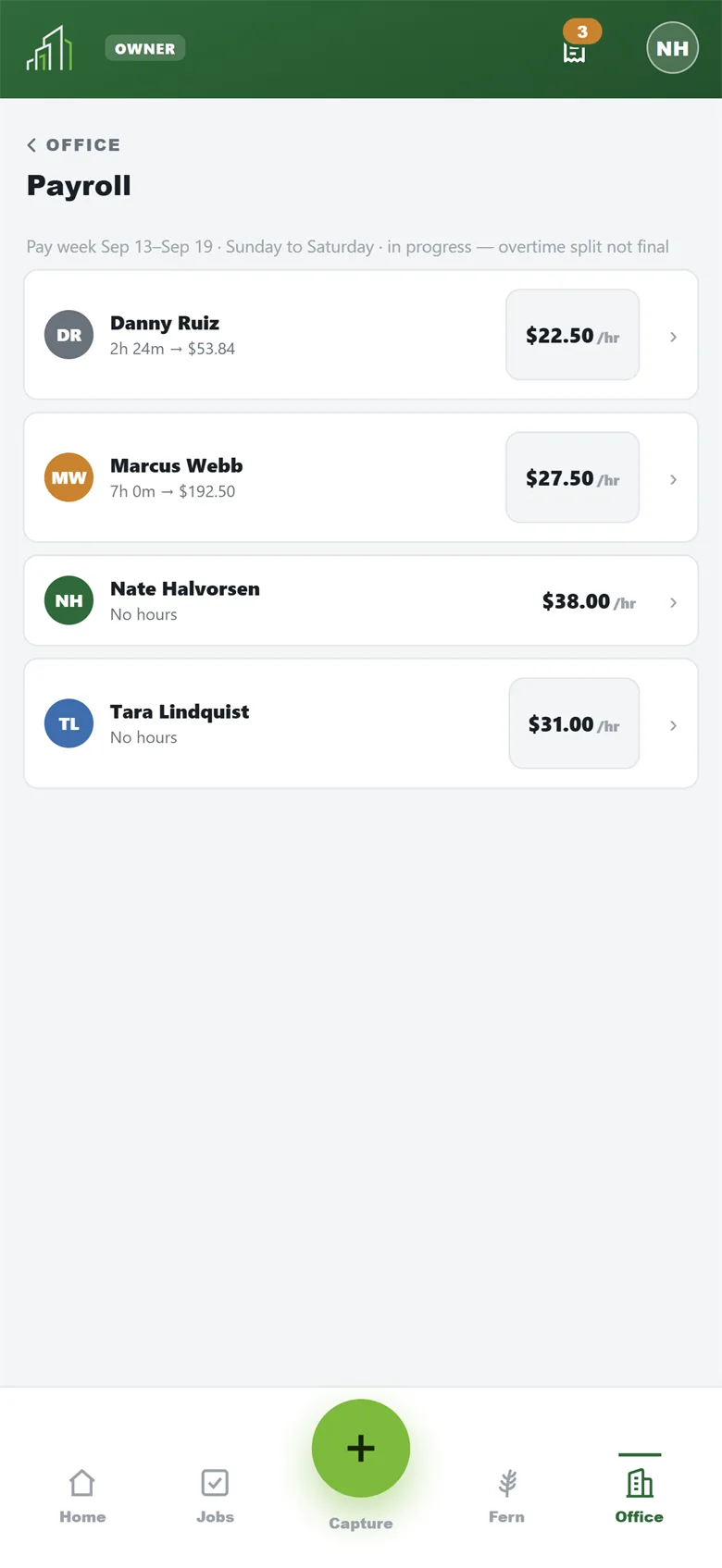
The owner side shows the numbers, and only to the owner and the managers they approve.
Hours against the quote
Logged against quoted, while the job runs. A bad job shows up in week one, not at invoicing.
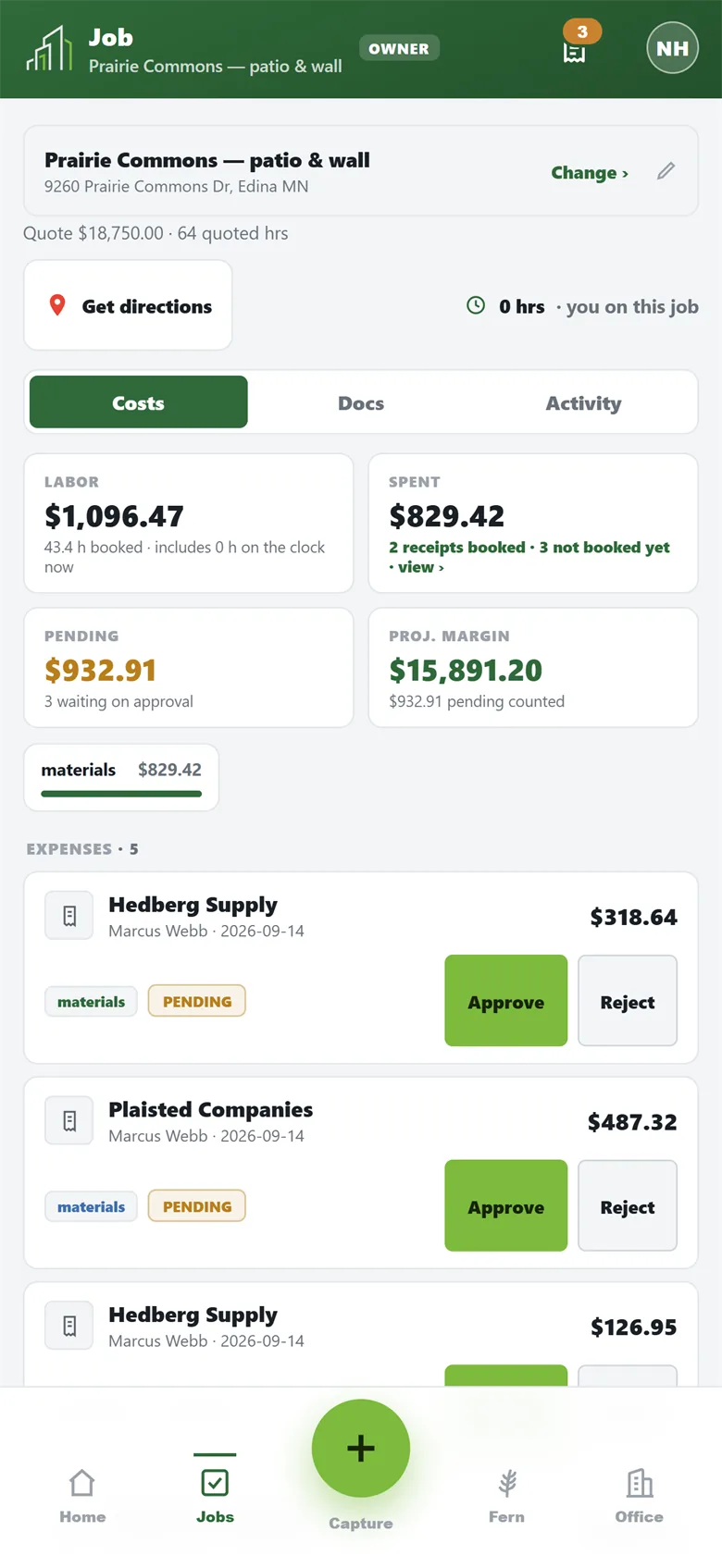
Where the money went
Job cost so far against its quote. Approved and still pending stay separate numbers.
You approve the money
A crew receipt waits for your sign-off. Every decision is on the record.
You set the rules
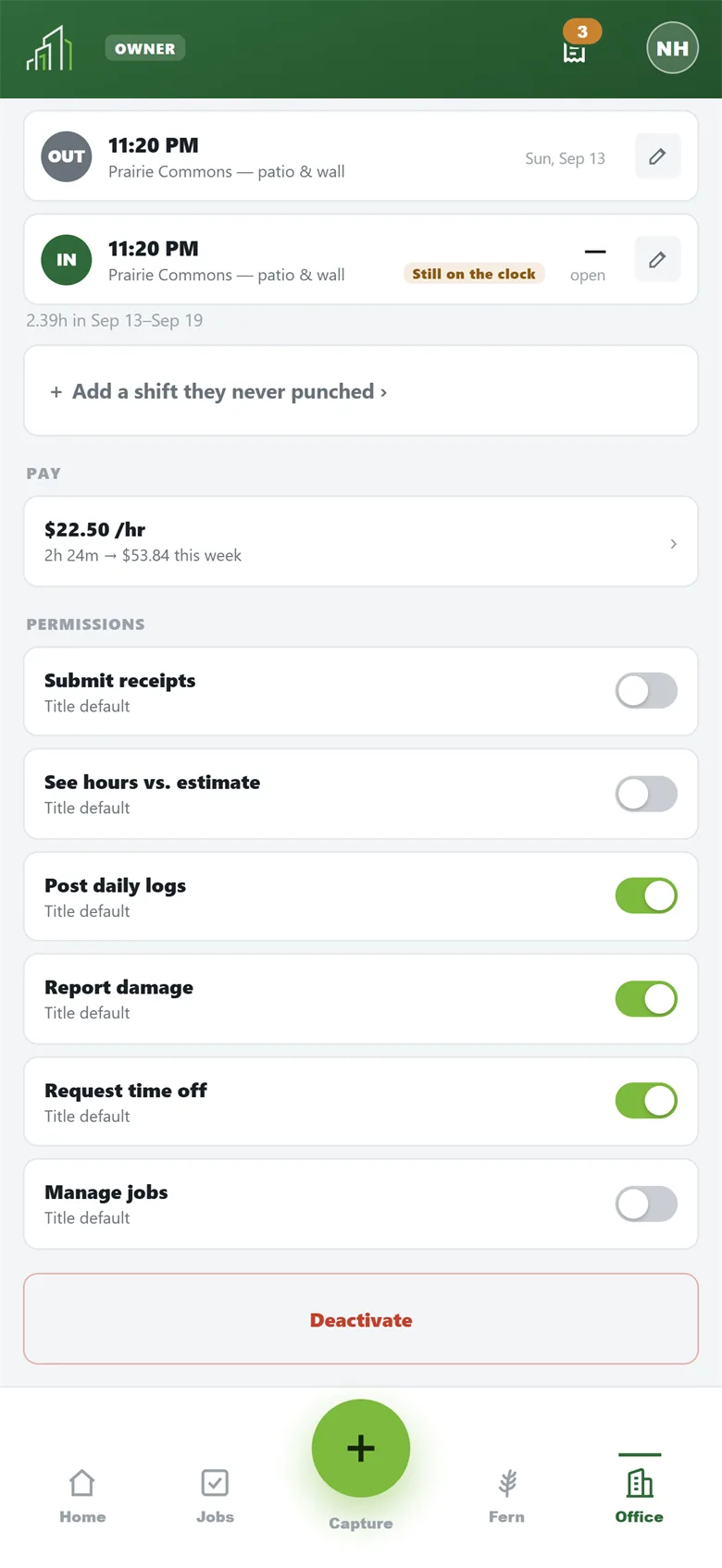
Who submits receipts, what needs approval, what the field can see. Costs and margins stay owner-only.
Crew never see financial information.
Built for a crew that didn't ask for an app
Work photos stay work photos
The camera is in the app. Job photos never land in anyone’s personal camera roll.
Signal on a jobsite is bad
A punch with no bars saves to the phone and sends when service returns.
Not a mockup
Screenshots from Forge Field running, with a demo company's data.
Set up around your crew
Tell us how you run. We build the install around it, then support it.

 GET IT ONGoogle PlayComing soon