The other half of the job, on the crew's phone.
They clock in and log the day. You see hours against the quote and where the money went — while the job is still running.
Four taps, then back to work
Anything that takes a crew more than a minute doesn't get done.
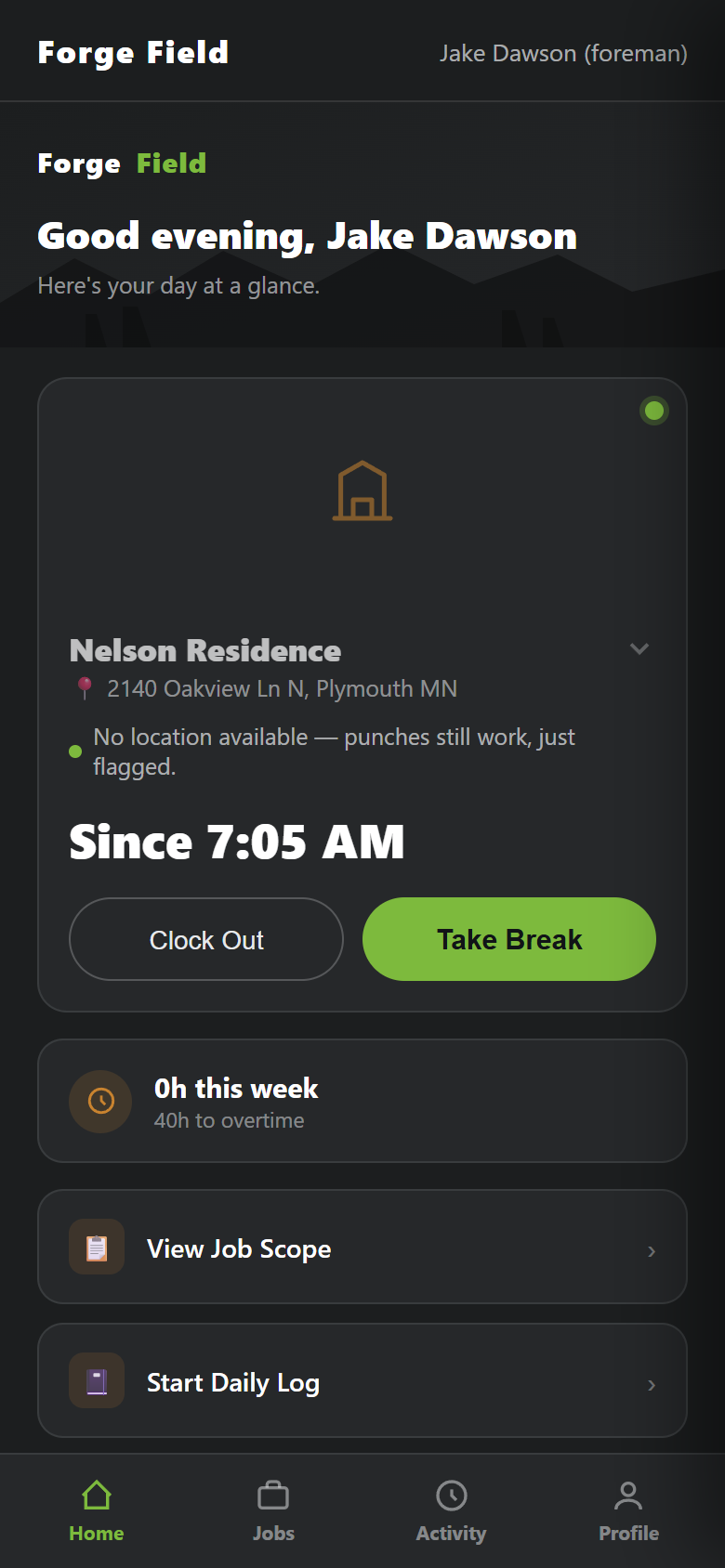
Clock in at the job
One tap, GPS-stamped to the right job. No paper timesheets.
The plan, on the phone
Scope, drawing and documents on site, where the questions get asked.
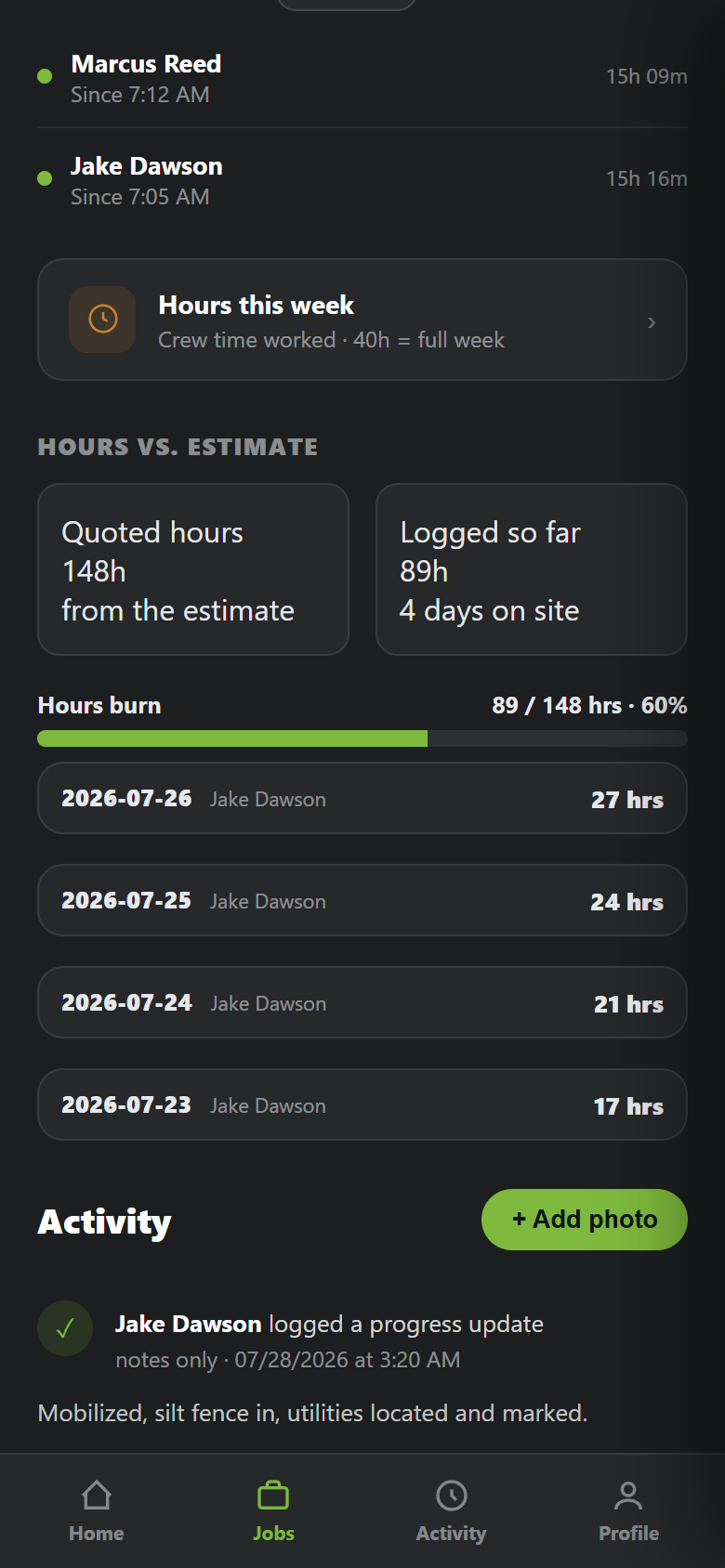
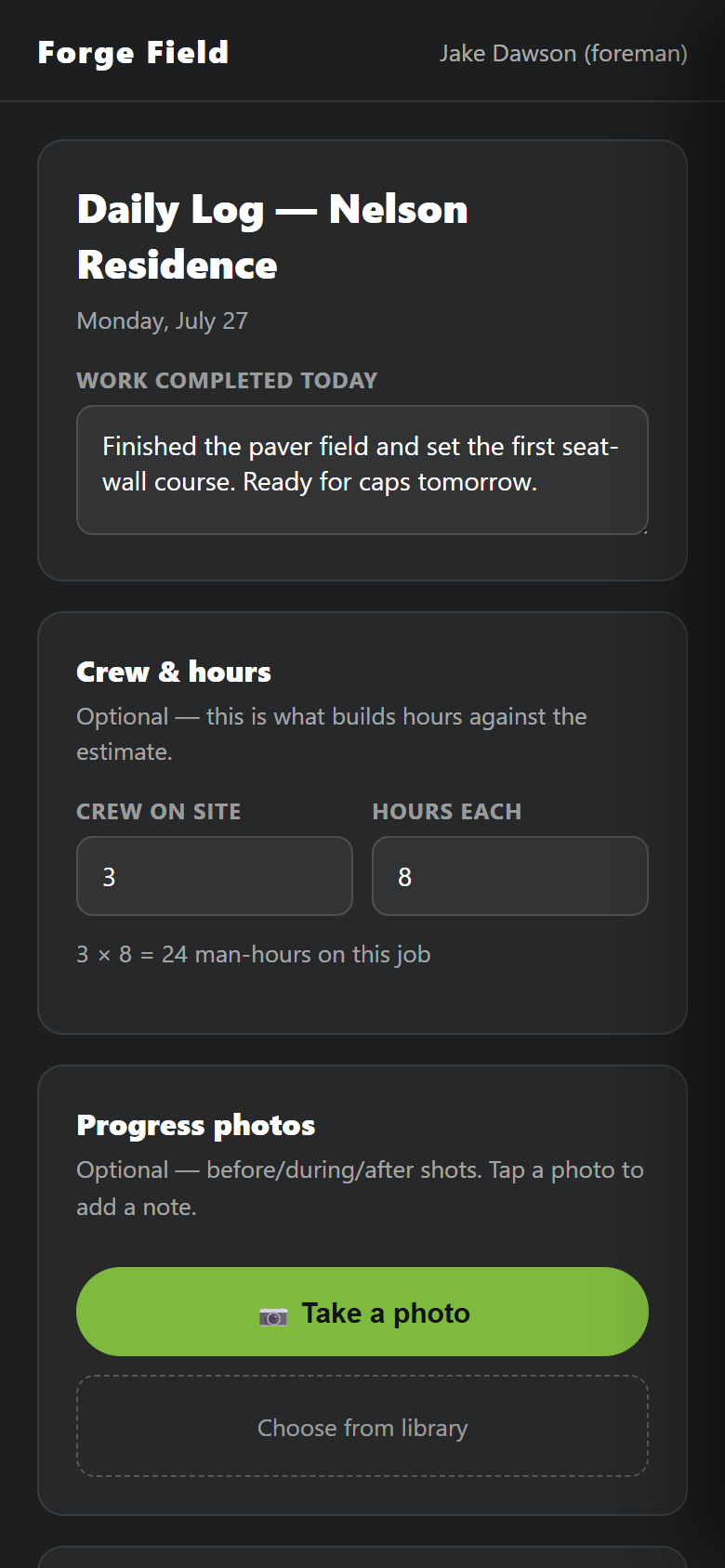
Daily log in a minute
What got done, crew, hours, photos. Damage time-stamped before anyone argues.
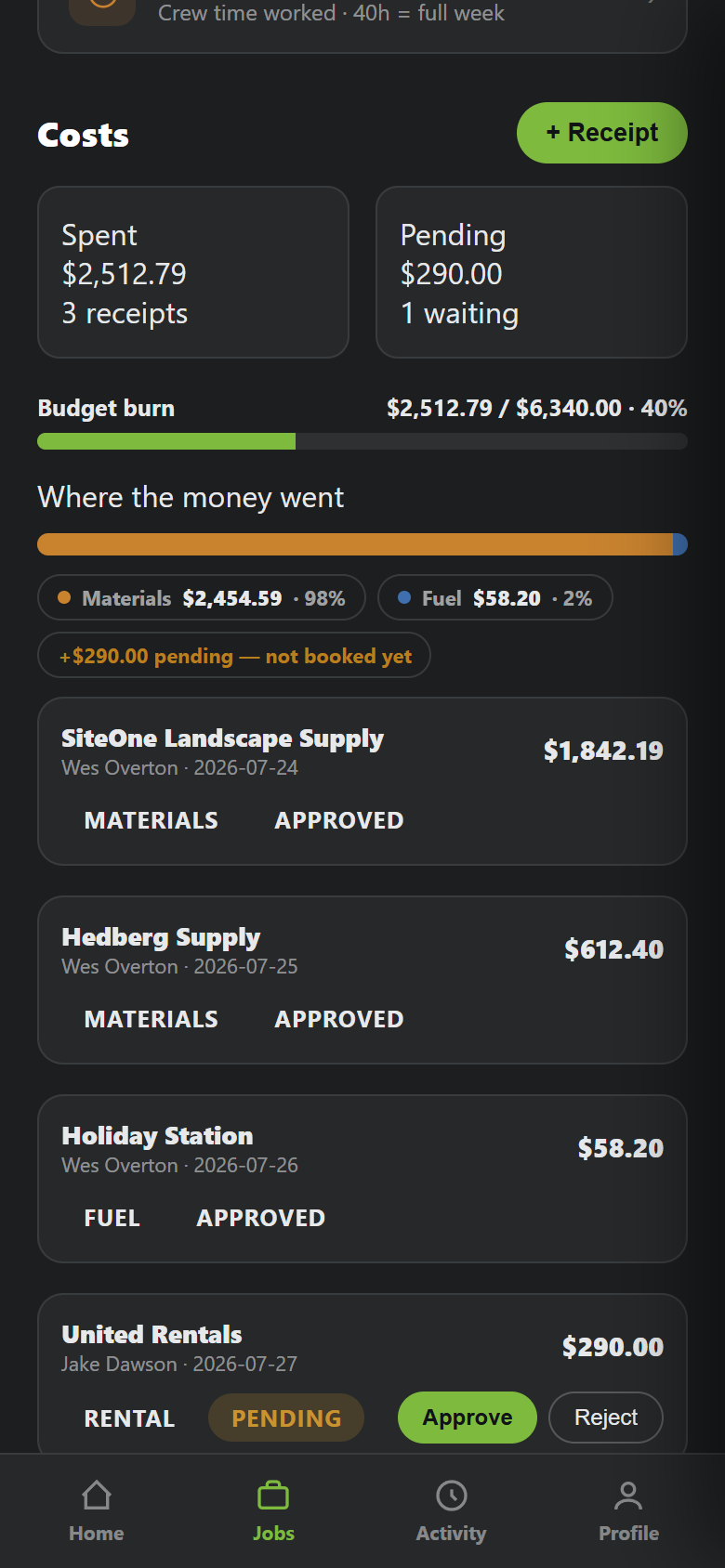
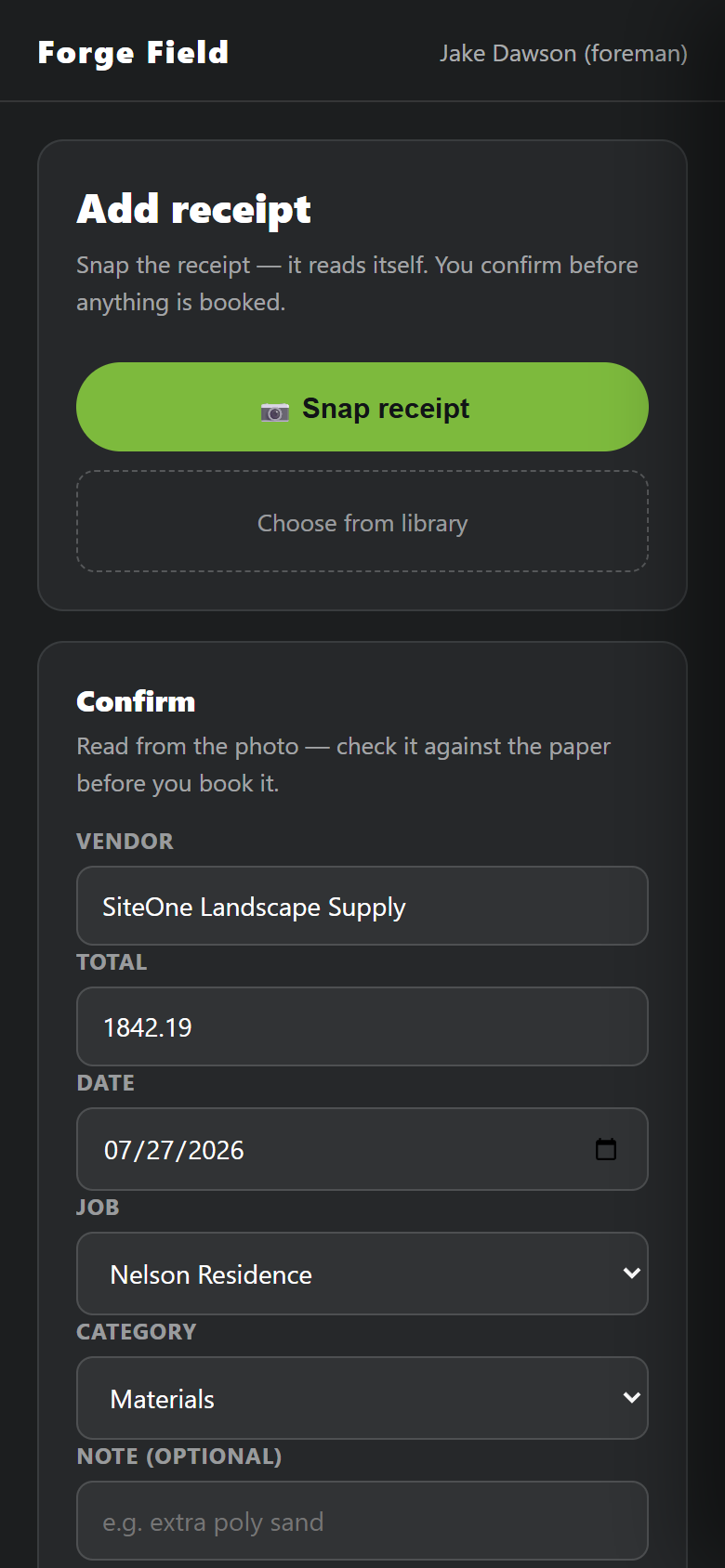
Snap the receipt
It reads the vendor, total and date, and books to the job. Beats a glovebox of thermal paper.
Find out during the job, not after it
Hours against the quote
Logged vs quoted, live. A bad job shows up in week one, not at invoicing.
Where the money went
Spend by category. Approved and pending stay separate numbers.
You approve the money
A foreman's receipt waits for your sign-off. Every decision is on the record.
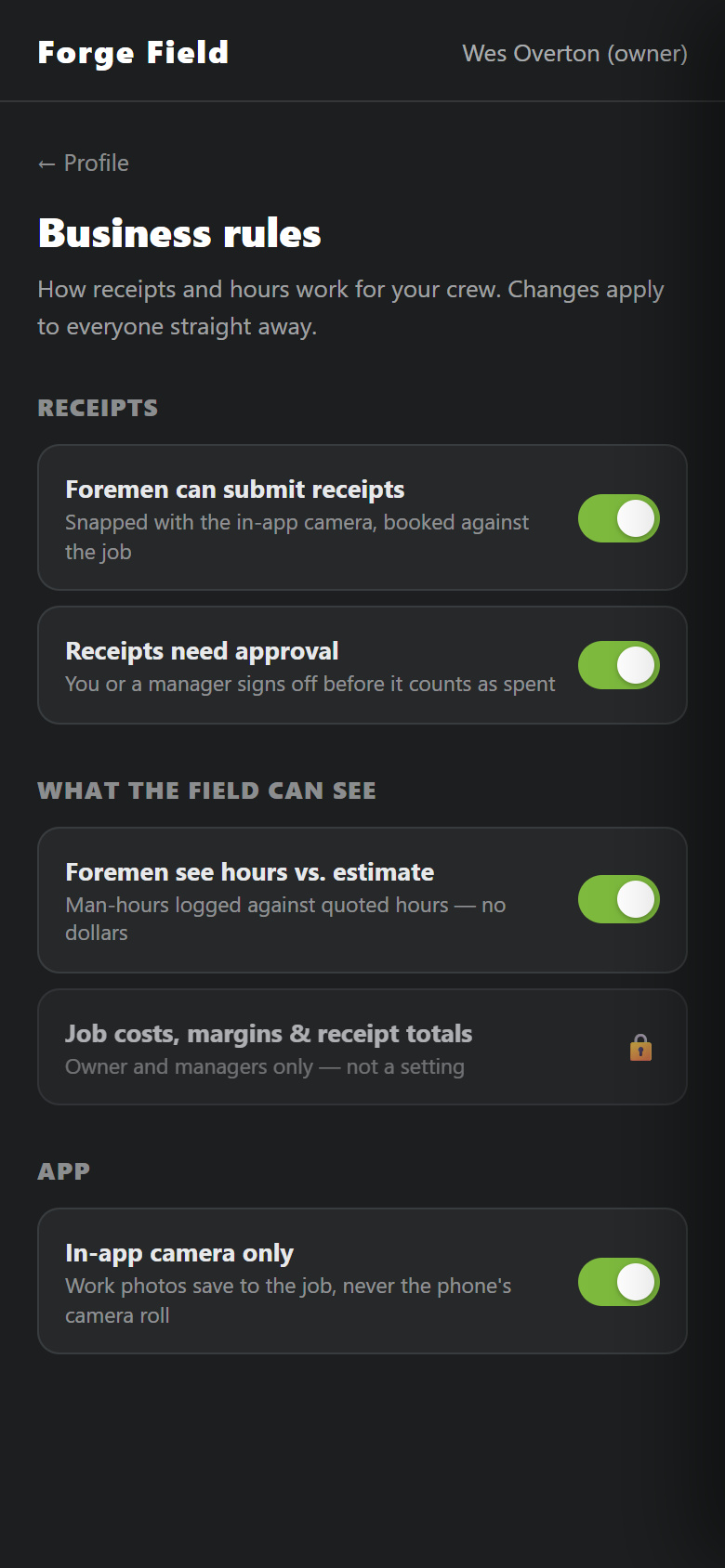
You set the rules
Who submits receipts, what needs approval, what the field can see. Costs and margins stay owner-only.
Built for a crew that didn't ask for an app
Work photos stay work photos
The camera is in the app. Job photos never hit anyone's personal camera roll.
Signal on a jobsite is bad
A punch with no bars saves to the phone and sends when service returns.
Not a mockup
Screenshots from Forge Field running, with a demo company's data.
One job, one loop
Two halves of one system. The job travels between them instead of living in a truck cab and a text thread.
Forge
- Draw the property to scale
- Price it off your real catalog
- Produce the quote, crew print and cost sheet
- Send those documents to the job
Forge Field
- Crew clocks in at the job
- Plan and scope open on their phone
- Receipts and photos go to the job
- Hours build against the quote
The return trip is the point. Most estimating software stops when the quote is sent — so a job going over is news only after it is paid for.
Both halves, one setup
Not a separate product. Both halves come together.